
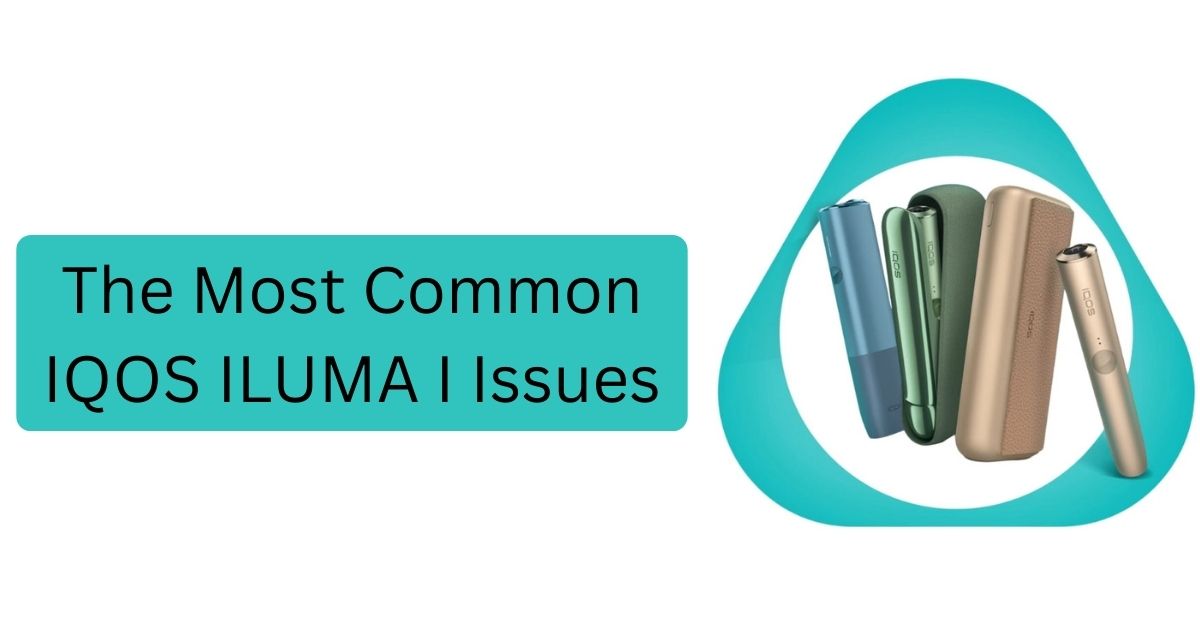
IQOS ILUMA I is part of a newer generation of heat-not-burn devices that rely on a smart heating system instead of a removable blade. Like any electronic Iqos device, owners report a predictable set of recurring faults and frustrations. Understanding the symptoms, likely causes, and safe next steps makes it easier to decide whether a problem needs simple attention, a manufacturer service call, or replacement under warranty. The sections below summarize the most common issues people encounter, why they happen, and responsible actions to take.
1. Device won’t power on or respond
Symptoms: Pressing the power button does nothing; LEDs don’t light up; the device appears dead.
Common causes: Fully depleted battery, faulty charger or cable, a loose or damaged charging port, internal battery failure, or a firmware hang that makes the device unresponsive.
What to do: First, check the charging accessory and cable (prefer manufacturer-supplied items). If the device still doesn’t respond after charging, stop attempting DIY fixes. Contact the official support channel or an authorized service center — especially if the device is under warranty. Avoid opening the device yourself; internal battery work is hazardous.
2. Charging problems (slow charging, doesn’t charge, intermittent)
Symptoms: Device charges very slowly, shows no charging indicator, or loses charge quickly after being unplugged.
Common causes: Damaged cable or charger, dirty or obstructed charging contacts, a weakened battery from age or heavy use, or a faulty charging circuit.
What to do: Try a different, compatible charger and cable (preferably the official ones). Inspect and gently clean external contacts following manufacturer guidance — but don’t poke, pry, or disassemble. If the problem persists, have the device inspected by authorized technicians to avoid fire risk or invalidating the warranty.
3. Heating or performance problems (weak heat, no heat, uneven heating)
Symptoms: The device doesn’t heat to the expected temperature, the experience is weak or inconsistent, or heating stops mid-session.
Common causes: Faulty internal heater, poor contact between the heating element and the tobacco stick, sensor failure, or software/firmware issues that control heating cycles.
What to do: If the device shows error indicators, follow official troubleshooting steps in the user manual or the manufacturer’s app. Because heating components can be delicate and involve electrical hazards, seek professional service rather than attempting internal repairs.
4. Stick recognition failures or “not detected” messages
Symptoms: The device reports that the stick (HEETS/Terea/etc.) isn’t detected even when inserted correctly, or sessions don’t start.
Common causes: Dirty sensors, obstructions in the chamber, damaged stick contacts, incompatible or damaged sticks, or sensor calibration problems.
What to do: Avoid forcing sticks in or using compromised sticks. If the device uses disposable/one-time sticks and many show the same issue, stop using affected packs. Clean only per the official guidance; otherwise contact customer support.
5. LED or error-code indications you don’t understand
Symptoms: Blinking patterns, unusual color codes, or persistent error messages on the device.
Common causes: The device uses LED patterns to signal a wide range of statuses — from low battery to hardware faults. Different blinking colors/patterns correspond to different problems.
What to do: Consult the official user manual or the manufacturer’s support site/app to interpret LED/error codes. If the code indicates a hardware fault, seek authorized service rather than trying internal fixes.
6. Frequent automatic shutdowns or aborted sessions
Symptoms: The device shuts itself off mid-session or refuses to complete a heating cycle.
Common causes: Overheating protection, battery reaching cutoff voltage, internal thermistor/sensor failure, or software safety routines detecting anomalies.
What to do: Let the device cool and try again after proper charging. If shutdowns are frequent and reproducible, discontinue use and use official support channels — this could indicate a safety-related fault.
7. Overheating, unusual smells, smoke, or sparks
Symptoms: Device feels hotter than normal, emits burning smells, smoke, or visible sparks.
Common causes: Serious electrical fault, damaged battery, exposure to liquids, or internal short-circuit.
What to do (safety-first): Immediately stop using the device, place it in a non-flammable area away from flammable materials, and contact official support or emergency services if there’s smoke or fire. Don’t attempt to open or replace internal batteries on your own. This is a hazard situation and requires professional attention.
8. Button, hinge, or mechanical wear
Symptoms: Buttons stick or fail, components feel loose, the chamber door or lid is broken, or the device rattles.
Common causes: Normal mechanical wear, drops and impacts, moisture exposure, or manufacturing defects.
What to do: Small external defects may be repairable under warranty; for structural damage, an authorized repair service or replacement is safer than DIY fixes. Avoid using devices with sharp or broken edges.
9. Connectivity and app-related problems
Symptoms: Device won’t pair with the mobile app, disconnects frequently, or app shows inaccurate status.
Common causes: Bluetooth pairing issues, outdated app or firmware, interference from other devices, or temporary software bugs.
What to do: Make sure the app and device firmware are up to date (if available) and follow official pairing instructions. If software updates are failing or the device behaves unpredictably after an update, contact support rather than attempting unofficial firmware flashing.
10. Battery life degradation over time
Symptoms: Device won’t hold charge as long as it used to; multiple charges are needed daily.
Common causes: Lithium-ion battery degradation is natural with repeated charge/discharge cycles, especially under heavy use or improper charging practices.
What to do: If battery life becomes unacceptable, authorized battery replacement (where offered by the manufacturer) or device replacement may be necessary. Don’t attempt to replace internal batteries yourself due to risk of damage and injury.
Preventive habits and safe maintenance (high level)
While troubleshooting should prioritize safety and manufacturer support, some general prevention strategies reduce the chance of problems:
- Use only manufacturer-approved chargers and accessories when possible.
- Keep the device dry and avoid extreme temperatures.
- Store the device in its case or a secure place to minimize drops.
- Follow the official cleaning and maintenance schedule. Don’t use metal objects or aggressive solvents on electrical contacts.
- Register the device (if the manufacturer offers registration) to make warranty claims easier.
Importantly, avoid DIY internal repairs. Opening the device typically voids warranty and introduces fire and injury risks. For any issue involving heat, smoke, battery swelling, or persistent electrical faults, contact official support immediately.
When to contact official support or seek replacement
Some situations clearly require manufacturer intervention or replacement:
- The device emits smoke, sparks, or strange burning smells.
- Charging port or battery shows signs of damage, swelling, or overheating.
- Firmware is corrupted and the device becomes bricked after update attempts.
- Repeated failures occur shortly after purchase — this is likely covered by warranty.
- The problem persists after following user manual troubleshooting and basic checks.
Always prefer authorized service centers or manufacturer hotlines. They can authenticate whether a fault is repairable, whether a safety recall applies, or whether the device should be replaced.
Final thoughts and responsible reminders
IQOS ILUMA I devices are compact electronic systems combining heating elements, sensors, batteries, and software. That complexity makes them convenient but also means several failure modes are possible. The majority of common issues — charging faults, sensor or stick recognition problems, degraded battery life, and software or connectivity bugs — are diagnosable from symptoms and, in many cases, resolvable through official support, authorized servicing, or replacement under warranty.
