
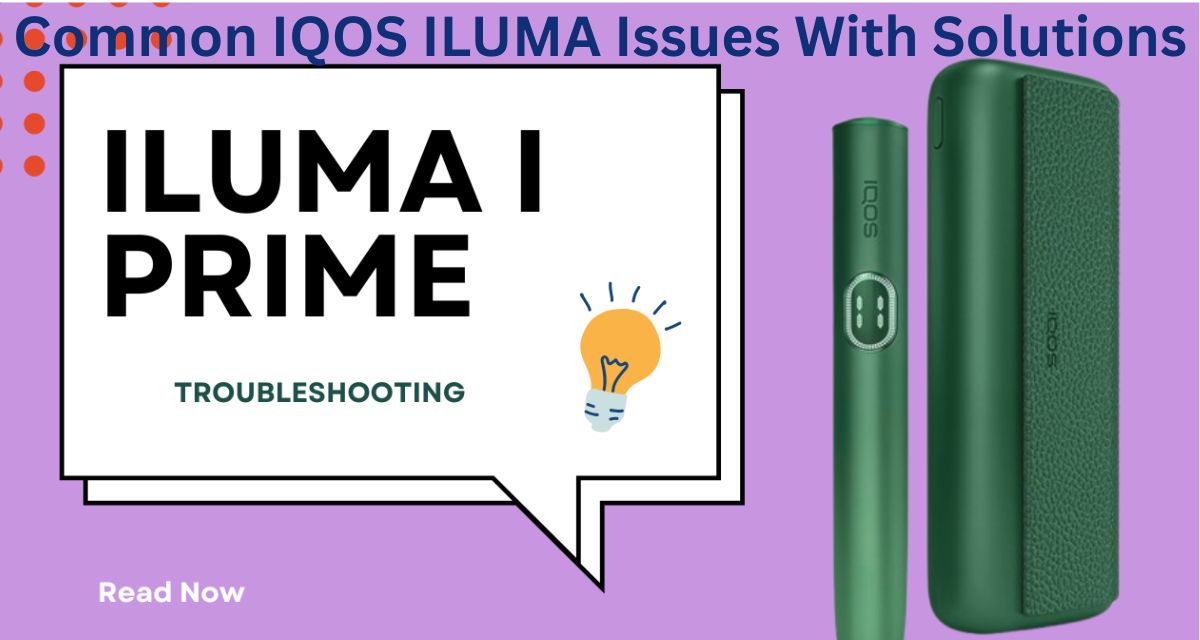
IQOS ILUMA series, including the ILUMA One, ILUMA Prime, and ILUMA Standard, represents one of the most advanced heated-tobacco systems on the market. With its bladeless Smartcore Induction System, improved heating consistency, robust battery life, and cleaner operation, it has quickly become the preferred choice among users who want a refined and convenient tobacco-heating experience. However, like any electronic device, the IQOS ILUMA is not completely free from occasional issues. Whether these problems arise from user habits, environmental conditions, or natural wear and tear, knowing how to diagnose and resolve them can ensure your device continues performing at its best.
This guide explores common IQOS ILUMA issues, explains why they occur, and provides practical, easy-to-follow solutions to keep your device functioning smoothly.
1. Device Not Turning On
Possible Causes
- Battery fully drained
- Device has entered protection mode
- Internal system error
- Charging cable or adapter malfunction
Solutions
- Charge the Device Properly
Connect your ILUMA to its official USB-C cable and allow it to charge for at least 10–15 minutes before checking again. Sometimes the battery drains completely and needs time to awaken. - Check the Charging Accessories
A damaged cable or adapter may deliver insufficient power. Try using a different IQOS-approved cable and power source. - Reset the Device
Most minor software issues can be resolved by a reset.- Press and hold the power button for 10 seconds until the status lights blink.
- Wait for it to restart.
- Avoid Extreme Temperatures
IQOS ILUMA may refuse to power on if exposed to very cold or very hot conditions. Keep it between 0°C and 50°C for optimal performance.
2. Device Not Heating
Possible Causes
- Incorrect insertion of Terea stick
- Internal heating issue
- Faulty Smartcore detection
- Dust or debris inside the chamber
Solutions
- Reinsert the Terea Stick Correctly
Ensure the stick is inserted up to the line without bending, twisting, or forcing it. Unlike older IQOS models, ILUMA does not use a blade, so insertion should feel smooth and effortless. - Try a New Stick
A defective Terea stick can cause heating detection failure. Replace it and try again. - Reset the Device
A simple reset often restores Smartcore detection. - Clean the Holder and Cap
Although ILUMA does not require blade cleaning, residue or dust can still build up.- Gently tap out loose debris.
- Wipe with a dry cotton swab.
- Avoid liquids, as moisture can damage the induction system.
If heating still fails, the internal coil may be defective—contacting customer support is recommended.
3. Weak Vapor or Reduced Flavor
Possible Causes
- Using damaged or stale Terea sticks
- Cap is clogged with residue
- Device temperature regulation issues
- Long intervals between puffs
Solutions
- Use Fresh, Properly Stored Sticks
Avoid sticks exposed to humidity or direct sunlight. - Clean the Cap Regularly
- Remove the cap.
- Clean the inside with a dry brush or cotton swab.
This improves airflow dramatically.
- Allow the Device to Rest Between Sessions
Overheating can reduce flavor performance. Let the device cool down for 2–3 minutes before starting a new stick. - Check Battery Levels
Lower battery power may affect heating efficiency. Fully recharge before use.
4. Terea Stick Stuck Inside the Holder
Possible Causes
- User twists or pulls the stick incorrectly
- Tobacco expands due to heat
- Cap is not removed properly
Solutions
- Remove the Cap First
The ILUMA is designed so that removing the cap frees the stick. Pull the cap gently upward. - Gently Tap the Device
Lightly tap the device upside-down to encourage the stick to slide out naturally. - Do Not Use Force
Avoid using tools, tweezers, or sharp objects, as they can damage the induction chamber. - Let the Device Cool Down
Once cool, tobacco contracts slightly, making removal easier.
If the stick is still lodged inside, seek service assistance.
5. Device Overheating
Possible Causes
- Continuous use without cool-down
- Charging while using
- Hot environment
- Internal malfunction
Solutions
- Let the Device Rest
Allow it to cool for a few minutes before starting another stick. - Avoid Direct Sunlight
Store the device in a shaded area. - Never Use While Charging
This can overheat the battery and trigger protection mode. - Reset the Device
This can help if overheating is caused by a software glitch.
If overheating persists, it may indicate a faulty battery.
6. Charging Issues
Possible Causes
- Dirty charging port
- Faulty cable or adapter
- Using a non-official charger
- Weak power source
Solutions
- Clean the Charging Port
Dust and lint can accumulate inside the USB-C port.- Blow into the port gently or use a dry brush.
- Use Official IQOS Charger
Fast chargers or uncertified cables can reduce battery life or prevent charging. - Check Wall Adapter Output
Ideally use 5V/2A for consistent charging. - Avoid Charging Through Laptops or Power Banks
Low power output can slow or interrupt charging.
7. Vibrations or Light Signals Not Working
Possible Causes
- Software glitch
- Battery not charged
- Physical damage
- Vibration motor failure
Solutions
- Reset the Device
Restore default functionality by holding the power button for 10 seconds. - Check for Low Battery
Charge the device and test again. - Inspect for Physical Impact
If the device has been dropped, internal components may be damaged.
If vibration or LED issues persist, repair or replacement may be needed.
8. Shorter Session Duration
Possible Causes
- Battery degradation
- Device overheating
- Terea stick not fully inserted
- Frequent puffing reduces heating consistency
Solutions
- Insert Terea Correctly
Ensure it reaches the marked line. - Allow Proper Cooling
Overheated ILUMA devices sometimes cut sessions short. - Use the Device Gently
Continuous strong puffs can confuse the heating algorithm. - Check Battery Health
Older batteries may no longer deliver optimal power. In this case, replacing the device is recommended.
9. Device Entering Protection Mode
The ILUMA has built-in safety features that temporarily disable operation.
Common Triggers
- Excess heat
- Excess cold
- Using non-Terea sticks
- Charging anomalies
Solutions
- Move the Device to Room Temperature
Leave it for 5–10 minutes. - Check You’re Using Genuine Terea Sticks
Only Smartcore-compatible sticks work properly. - Reset and Restart
This usually clears protection mode.
10. Poor Battery Life
Possible Causes
- Heavy usage
- Battery aging
- Frequent partial charges
- Extreme temperatures
Solutions
- Charge to Full Regularly
Avoid running the battery to 0% repeatedly. - Store the Device Properly
Keep between 10°C and 30°C. - Avoid Overcharging
Disconnect once fully charged. - Minimize Back-to-Back Sessions
This reduces strain on the battery.
General Maintenance Tips for IQOS ILUMA
Even though the ILUMA is low-maintenance compared to previous IQOS models, regular care extends its life significantly.
1. Keep the Device Clean
- Wipe the exterior frequently.
- Clean the cap and chamber regularly with a dry cotton swab.
2. Store in a Safe Place
Avoid moisture, dust, and direct heat.
3. Use Only Genuine Accessories
Authentic cables, adapters, and Terea sticks ensure optimal functionality.
4. Don’t Drop the Device
Even minor impacts can damage the induction heating system.
5. Let the Device Cool Between Sessions
This helps preserve the battery and internal components.
Conclusion
The IQOS ILUMA is a highly advanced heating device known for its convenience, smart technology, and ease of use. Although it requires less maintenance than previous models, it can still encounter occasional issues—from charging and heating problems to weak vapor output or stuck Terea sticks. Fortunately, most of these challenges can be resolved with simple troubleshooting steps such as resetting the device, cleaning the cap, using genuine accessories, or adjusting environmental conditions.
