
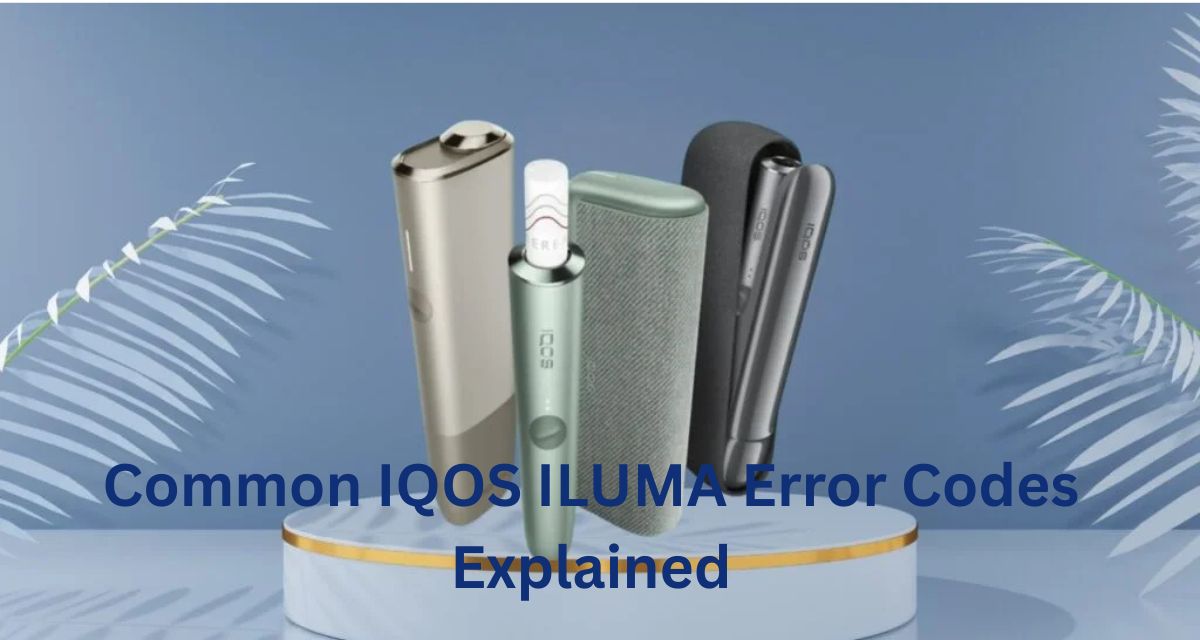
QOS ILUMA is part of the next generation of heated tobacco devices, designed to offer a cleaner, smoke-free alternative to traditional cigarettes. Like any electronic device, it comes with its own set of error codes to help users troubleshoot issues. Understanding these codes is essential, especially for beginners, as it ensures a smoother and more enjoyable experience. This guide breaks down the most common IQOS ILUMA error codes, what they mean, and how to resolve them.
Introduction to IQOS ILUMA Error Codes
IQOS ILUMA uses an advanced induction heating system that eliminates the need for cleaning the blade, unlike older IQOS models. However, despite its innovative design, the device can sometimes display error codes due to hardware, software, or usage issues. These error codes usually appear as flashing lights, numbers, or icons on the device.
For beginners, encountering an error code can be confusing. But don’t worry—these codes are simply the device’s way of communicating that something requires attention. Knowing what each code means can save time, prevent damage, and improve your overall experience with IQOS ILUMA.
Why Error Codes Appear
Before diving into specific codes, it’s helpful to understand why error codes occur in IQOS ILUMA:
- Battery Issues: The device may not charge properly or may overheat.
- Device Overuse: Continuous usage without allowing the device to rest can trigger error codes.
- Tobacco Stick Problems: Using a damaged or incompatible stick can cause a malfunction.
- Device Malfunction: Rarely, internal components may fail or experience connectivity issues.
- Firmware Glitches: Occasionally, the device software may require an update or reset.
Understanding these reasons helps beginners recognize whether the issue is user-related or requires technical support.
Common IQOS ILUMA Error Codes and Their Meanings
Below is a detailed explanation of some of the most common IQOS ILUMA error codes, along with simple troubleshooting steps:
1. Error 1 – Heating Failure
What it means:
Error 1 indicates that the device failed to heat the tobacco stick properly. This may happen if the stick is not inserted correctly, the device is dirty, or the heating element is blocked.
How to fix it:
- Remove the stick and reinsert it correctly.
- Ensure the device is fully charged.
- Let the device cool down for a few minutes before trying again.
Tips for beginners:
Always insert the stick gently and avoid forcing it into the holder. Using too much pressure can damage the heating system.
2. Error 2 – Device Overheating
What it means:
This error occurs when the device temperature exceeds safe levels. Overheating can happen due to prolonged use, exposure to direct sunlight, or charging while using the device.
How to fix it:
- Turn off the device and let it cool for at least 15–20 minutes.
- Avoid using the device while charging.
- Store the device in a cool, dry place.
Tips for beginners:
Overheating can reduce the lifespan of your device. Always follow the recommended usage intervals provided in the manual.
3. Error 3 – Charging Failure
What it means:
This code indicates that the device is not charging correctly. Possible causes include a faulty cable, dirty connectors, or a problem with the battery.
How to fix it:
- Use only the official IQOS charger and cable.
- Clean the charging contacts with a dry cloth.
- Try charging the device from a different power source.
Tips for beginners:
Avoid third-party chargers, as they may not be compatible and can damage the battery over time.
4. Error 4 – Stick Detection Issue
What it means:
Error 4 occurs when the device cannot detect the tobacco stick. This can happen if the stick is damaged, inserted incorrectly, or if there’s debris blocking the sensor.
How to fix it:
- Remove the stick and try another one.
- Check for dust or residue and clean the device carefully.
- Make sure the stick is compatible with IQOS ILUMA.
Tips for beginners:
Always use official IQOS ILUMA sticks. Third-party sticks may trigger this error frequently.
5. Error 5 – Device Malfunction
What it means:
This is a general error indicating an internal malfunction. It may result from firmware issues or component failures.
How to fix it:
- Reset the device by holding down the power button for 10 seconds.
- Update the device firmware using the IQOS app if prompted.
- If the error persists, contact IQOS customer support.
Tips for beginners:
Don’t attempt to open or repair the device yourself. IQOS ILUMA components are delicate and can be easily damaged.
6. Error 6 – Bluetooth or Connectivity Issue
What it means:
This error is related to device pairing with the IQOS app. It usually happens when the app fails to detect the device or there’s a temporary software glitch.
How to fix it:
- Turn off Bluetooth on your phone and turn it back on.
- Restart the IQOS ILUMA device.
- Reconnect the device through the IQOS app.
Tips for beginners:
Keep the IQOS app updated and avoid using multiple Bluetooth devices nearby during pairing.
7. Error 7 – Low Battery Warning
What it means:
Error 7 is a simple notification that the battery level is too low to operate properly.
How to fix it:
- Charge the device fully before using it.
- Avoid using the device while it’s charging.
Tips for beginners:
Regularly charging your device prevents sudden interruptions and extends battery life.
General Troubleshooting Tips for Beginners
Even with a detailed understanding of error codes, some general practices can help prevent and resolve issues:
- Regular Cleaning: Although IQOS ILUMA reduces residue compared to older models, occasional cleaning of the device exterior and stick compartment can prevent errors.
- Proper Stick Handling: Handle sticks gently and avoid inserting damaged sticks.
- Avoid Extreme Temperatures: Keep the device away from heat, direct sunlight, or freezing conditions.
- Firmware Updates: Regularly check for updates in the IQOS app to ensure smooth functionality.
- Follow Manufacturer Guidelines: Always read the user manual for safe usage and charging practices.
When to Contact Customer Support
While many errors can be resolved at home, some issues require professional assistance. Contact IQOS customer support if:
- The device continues to display the same error after multiple attempts to fix it.
- There are signs of battery swelling, leakage, or smoke.
- You suspect a hardware defect.
IQOS customer service can guide you through repairs, replacements, or warranty claims.
Conclusion
IQOS ILUMA is a sophisticated, user-friendly device that offers a modern alternative to traditional smoking. However, beginners may encounter error codes while learning to use it. Understanding these codes and knowing how to troubleshoot them is essential for a smooth and enjoyable experience.
From heating failures to battery warnings and connectivity issues, most errors are easily fixable with simple steps like reinserting the stick, charging correctly, or cleaning the device. By following the tips in this guide, beginners can confidently navigate error codes, extend their device’s lifespan, and enjoy all the benefits of IQOS ILUMA without frustration.
