
The IQOS ILUMA i ONE is a next-generation heated tobacco device designed to provide a smoke-free alternative to traditional cigarettes. Unlike conventional smoking, the IQOS ILUMA i ONE heats tobacco rather than burning it, which significantly reduces the levels of harmful chemicals released. Using this device effectively ensures the best taste, consistent performance, and long-lasting durability. This guide provides step-by-step instructions, tips, and best practices for using the IQOS ILUMA i ONE Device.
How to Use IQOS ILUMA i ONE
1. Understanding the Device
Before using the IQOS ILUMA i ONE, it is essential to understand its components. The device is compact, sleek, and consists primarily of two main parts:
- The Holder: This is the part that houses the tobacco stick. It features a Smartcore Induction System that heats the tobacco efficiently.
- The Charger: The charger powers the holder and stores energy so you can use the device multiple times before needing to recharge.
Additionally, the device has LED indicators that display battery status, heating progress, and device readiness. Being familiar with these indicators ensures smooth operation and prevents misuse.
2. Charging the Device
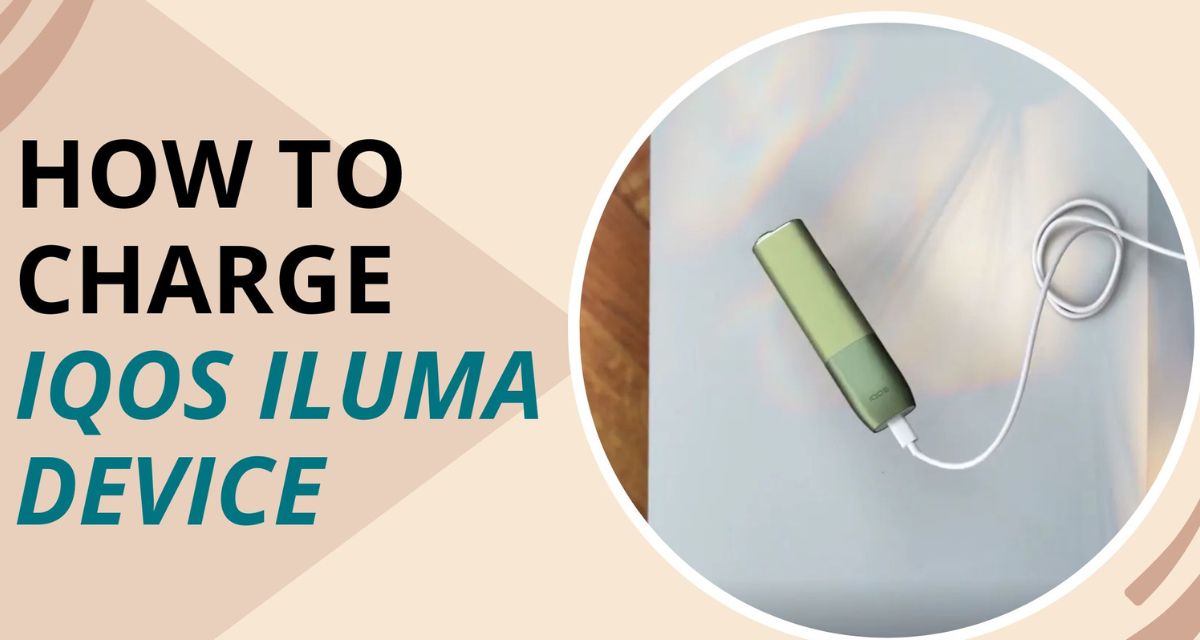
A fully charged device is critical for optimal performance. The IQOS ILUMA i ONE can be charged using a USB-C cable connected to a power source. Follow these steps:
- Connect the charger to a power outlet using the provided cable.
- Insert the IQOS ILUMA i ONE holder into the charger.
- Observe the LED lights. They will blink to indicate that the device is charging.
- Once the lights become steady, the device is fully charged and ready for use.
It is recommended to fully charge the device before the first use. Frequent top-ups are acceptable but charging from zero ensures maximum performance.
3. Preparing a Tobacco Stick
The IQOS ILUMA i ONE uses specially designed tobacco sticks compatible with the device. Unlike traditional cigarettes, these sticks are engineered to deliver consistent flavor and vapor without combustion. To prepare a stick:
- Remove the tobacco stick from its packaging carefully.
- Do not bend or damage the stick, as this can affect heating performance.
- Ensure the stick is dry; moisture may interfere with the device’s heating system.
The tobacco stick should only be inserted once the device is ready, as indicated by the LED signal.
4. Inserting the Tobacco Stick
Using the IQOS ILUMA i ONE correctly ensures the best flavor and prevents device damage:
- Hold the device in one hand and the tobacco stick in the other.
- Align the stick with the holder’s chamber carefully.
- Gently insert the stick into the holder until it clicks into place. Do not force it, as excessive pressure may damage the induction system.
- The device will automatically recognize the stick and start heating it. A short vibration or LED signal usually confirms the heating process has begun.
5. Heating and Vaping
Once the stick is inserted, the device uses induction heating to warm the tobacco evenly. Here’s how to enjoy it:
- Wait for the LED indicator or vibration alert signaling that the device is ready. This usually takes a few seconds.
- Take slow, steady puffs. The device is designed to deliver a smooth, consistent taste with each inhalation.
- Do not overuse the stick. Each tobacco stick is designed for a specific number of puffs, which ensures maximum flavor without degrading the experience.
6. After Use
After finishing the tobacco stick:
- Remove the stick from the holder carefully. It may still be warm, so handle with care.
- Dispose of the used stick responsibly. Unlike traditional cigarette butts, these sticks are contained and reduce environmental impact.
- Place the holder back into the charger if you plan to use the device again. The holder can typically be used for multiple sessions on a single charge.
7. Cleaning and Maintenance
Proper maintenance is crucial for the longevity of the IQOS ILUMA i ONE:
- Use the cleaning tools provided with the device. The holder should be cleaned regularly to prevent residue buildup.
- Avoid using water or other liquids, as they may damage the electronics.
- Inspect the device periodically for damage or wear. Ensuring all parts are intact maintains optimal performance.
8. Safety Tips
To maximize both safety and performance:
- Do not expose the device to extreme temperatures or moisture.
- Keep the device away from children and pets.
- Only use the recommended tobacco sticks for the IQOS ILUMA i ONE.
- Avoid attempting to disassemble or repair the device yourself.
9. Maximizing Device Life
To extend the lifespan of your IQOS ILUMA i ONE:
- Always charge it fully before first use and avoid leaving it plugged in for prolonged periods after it is fully charged.
- Use the device regularly but avoid long periods of inactivity without charging.
- Store it in a cool, dry place when not in use.
10. Troubleshooting
Occasionally, you may encounter minor issues:
- Device not heating: Ensure the holder is fully charged and the tobacco stick is correctly inserted.
- LED indicators flashing unexpectedly: This may indicate a need to clean the holder or a temporary malfunction; follow the cleaning instructions and restart the device.
- Reduced flavor: Replace the tobacco stick and ensure proper insertion.
Conclusion
The IQOS ILUMA i ONE is designed for simplicity, convenience, and enhanced tobacco enjoyment without the harmful effects of combustion. By understanding the device, following proper charging and usage procedures, and maintaining it regularly, users can enjoy a consistent, satisfying, and safe experience. Whether you are a first-time user or transitioning from traditional smoking, this device offers a modern, user-friendly way to experience tobacco with reduced smoke and odor. Adopting best practices in handling, cleaning, and using the IQOS ILUMA i ONE ensures a long-lasting, premium vaping experience.
